See what your crawler sees — and what your RAG pipeline actually uses.
With Web Data Source v3.1, you can inspect crawled pages, validate collected content, and see exactly what feeds your RAG pipeline.
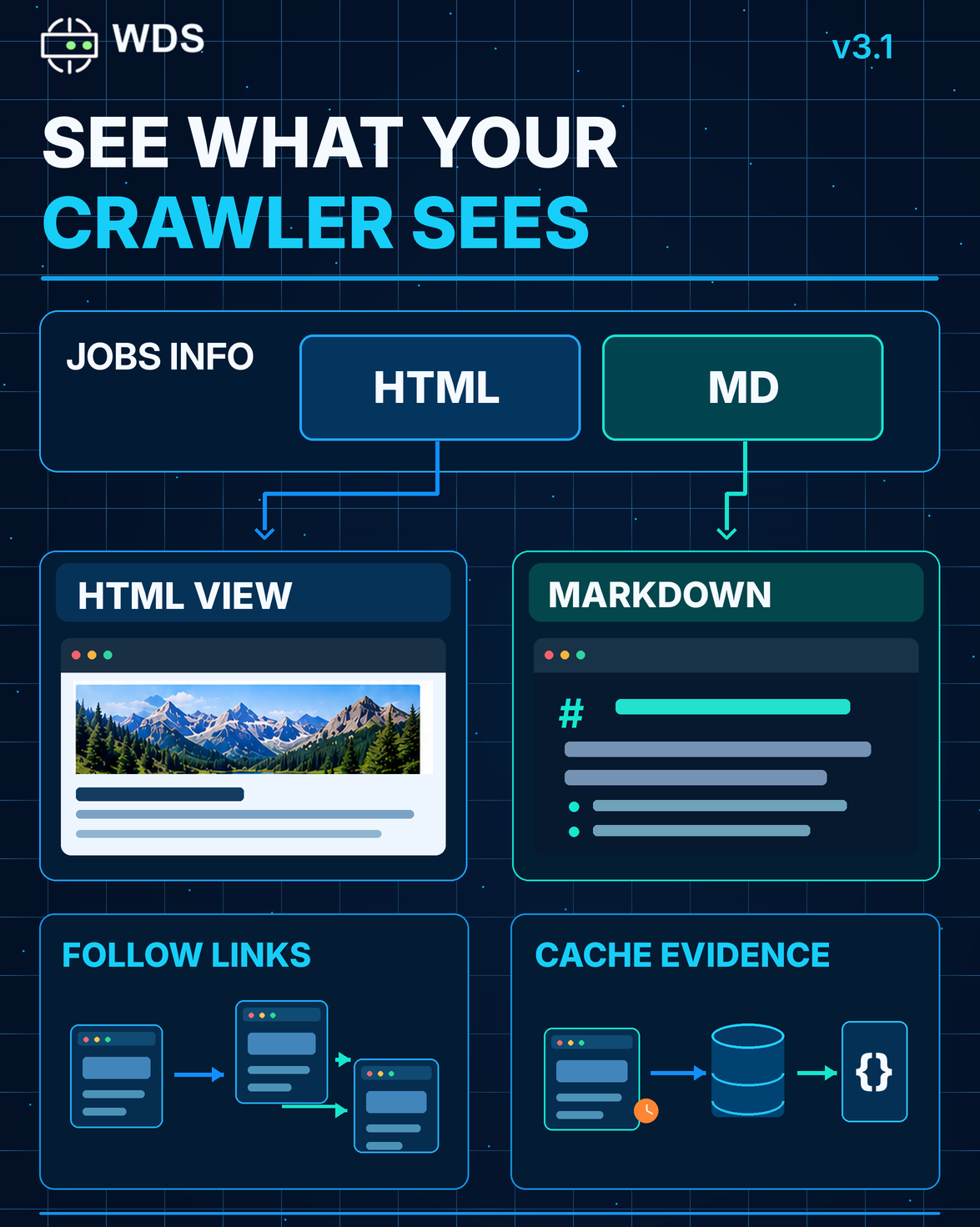
Introducing Job Content — two ways to explore the same crawled resource.
🔹 HTML — See through the crawler’s eyes
View pages as captured by WDS, which may differ from what you see in your browser.
🔹 Markdown — See what feeds your RAG pipeline
Explore pages converted into simplified, readable Markdown — the format WDS uses for RAG workflows.
Getting started is simple.
The Jobs Info endpoint provides two entry-point URLs:
- HTML — inspect the crawler’s view.
- MD — explore the RAG-ready content.
Follow links between pages to navigate the entire crawled resource in either format, without manually constructing URLs.
Why does this matter?
Web resources change over time. Through the API, you can inspect what’s actually stored in the crawler’s cache, providing verifiable source evidence for downstream decisions, even when the original website has changed.
Whether you’re debugging crawling behavior, validating AI results, or troubleshooting RAG pipelines, you can inspect the actual data behind them.
Because trustworthy AI starts with knowing exactly what data you’re feeding it.
📘 Explore Job Content in WDS v3.1: