“Resume” Prompt
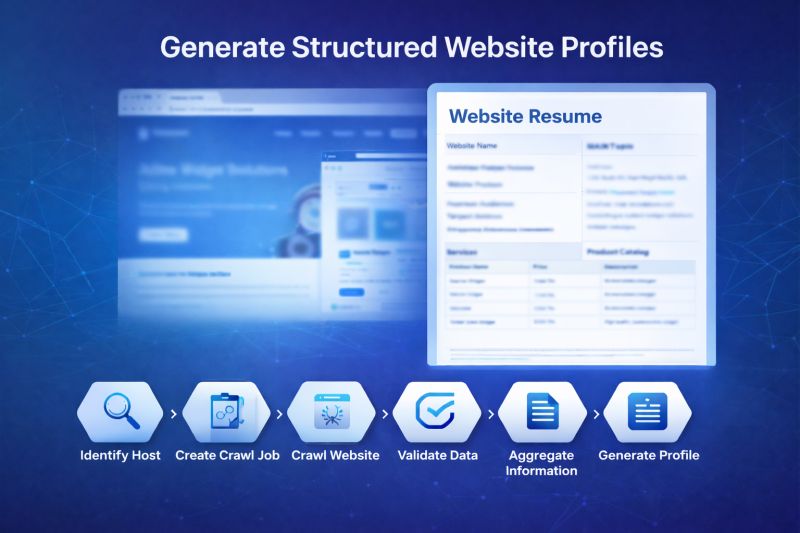
What if any public website could be turned into a structured, machine-ready profile? That’s exactly what the “Resume” MCP prompt in Web Data Source (WDS) does. The execution flow is transparent and deterministic: 1️⃣ Identify host 2️⃣ Create or load crawl job 3️⃣ Crawl the site 4️⃣ Validate completion 5️⃣ Aggregate collected data 6️⃣ Analyze and generate structured output
This isn’t raw scraping. And not a regular script. The “Resume” prompt is a specialized pseudo-code workflow for AI agents that:
- Calls WDS MCP tools
- Controls execution steps explicitly
- Structures intermediate results
- Applies data comprehension logic on top of collected content
- Produces normalized output objects
It combines tool orchestration and semantic understanding. In other words:
It’s not “scrape and print.”
It’s “crawl → reason → structure → present.”
Instead of manually reviewing internet resources, you get standardized company profiles ready for:
- Competitive intelligence
- Market research
- AI pipelines
- Searchable knowledge bases
And importantly — the “Resume” prompt is just a template that generates a structured website profile including:
- Website name
- Main topic
- Contact information
- Target audience
- Services
- Product catalog (structured with pricing)
- FAQ section
It can also be modified to:
- Change the structure of the output
- Focus only on specific sections (e.g., pricing, services, contacts)
- Produce JSON, tables, summaries, or domain-specific formats
- Match exactly the data model required by your customers
Crawl → Collect → Reason → Structure → Present — in the format you define.
More about this prompt