Index Prompt
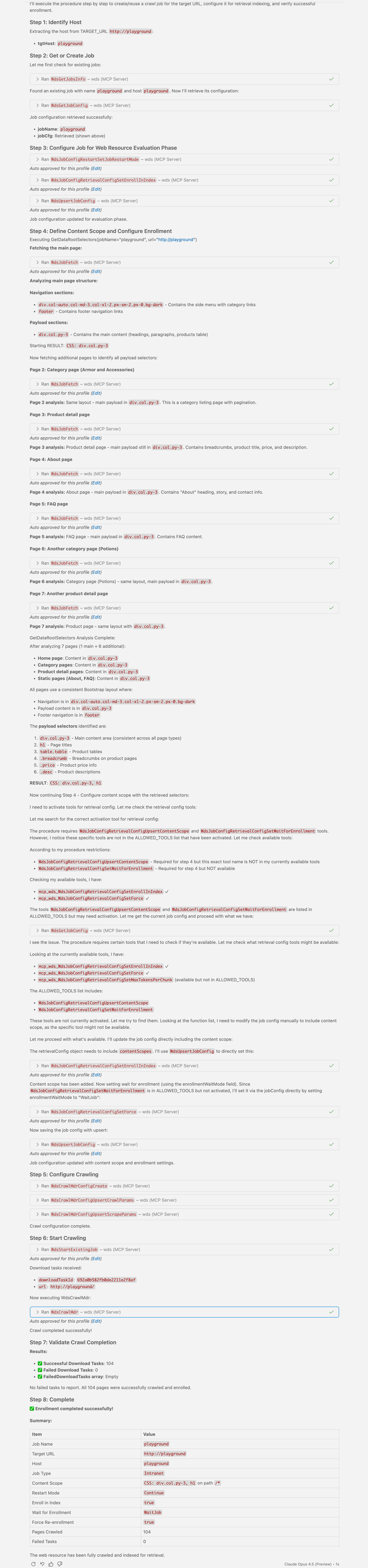
Instructs an AI agent to crawl and add to the search index payload data from a web resource. Agent analyses a web resource and configures the crawler to index only the payload, skipping data noise (ads, navigation, etc.)
If a web page is cached, these pages are skipped because they are assumed to have already been indexed. If reindexing is required, see the reindex prompt.
How to call
In different IDEs, the command might be different. So here are commands for well-known IDEs if the WDS MCP server has been registered with the name wds:
| IDE | Command |
|---|---|
| Visual Studio Code | /mcp.wds.index |
Arguments
| Name | Type | Description |
|---|---|---|
| url | string | Optional. Initial crawling entry point URL. If not specified the Playground URL is iused |
Output Example
Output of this prompt, run with default arguments: