ScrapeData Prompt
Guides an AI agent to discover relevant pages, define fields, and configure WDS to scrape site-wide data for analysis.
How to call
In different IDEs, the command might be different. So here are commands for well-known IDEs if the WDS MCP server has been registered with the name wds:
| IDE | Command |
|---|---|
| Visual Studio Code | /mcp.wds.scrape-data |
Arguments
| Name | Type | Description |
|---|---|---|
| url | string | Optional. Start URL. If not specified, the Playground URL is used |
| outputFormat | string | Optional. A task. Default: a table with the following columns: Name, Price, Description. |
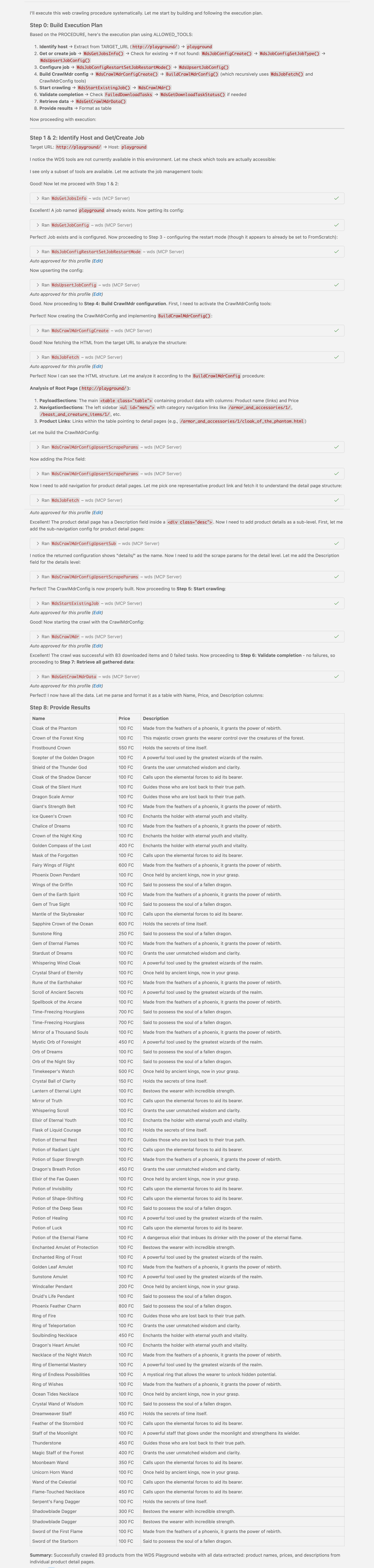
Output Example
Output of this prompt, run with default arguments: